
Satisfies 1 requirement
Indoor Wall Mount Commercial Advertising LCD Display Digital Player Video Kiosk Screen
US$159.00-699.00
1 Piece(MOQ)

I have found results from80000+products and30000+suppliers aboutKiosk advertising screen


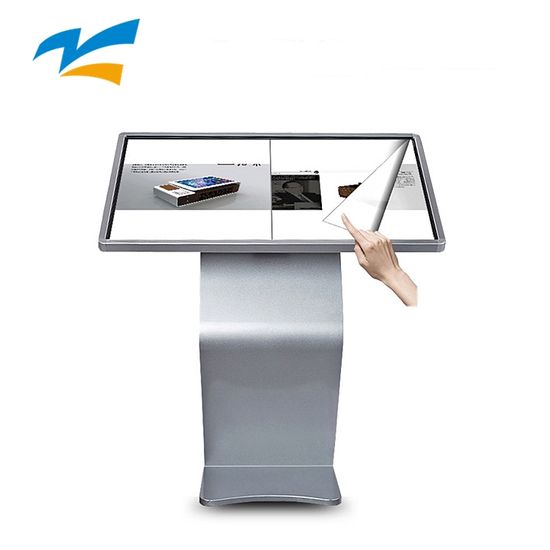


When sourcing kiosks, prioritize High-Brightness Displays (at least 450-700 nits for indoor and 1500-2500 nits for outdoor) to ensure visibility. Ensure the screen uses Industrial-grade LCD/LED panels capable of 24/7 continuous operation. For touch functionality, Capacitive Touch (PCAP) is preferred over Infrared for better sensitivity and a sleek flush-glass design. Additionally, verify the Processor (CPU) and RAM specs (e.g., Android 11+ or Windows 10 Pro) to ensure the Content Management System (CMS) runs smoothly without lag.
B2B buyers must verify that the products carry CE, FCC, and RoHS certifications to ensure electromagnetic compatibility and hazardous substance restriction. For outdoor kiosks, an IP65 or IP66 rating is mandatory to guarantee protection against dust and water. If shipping to the US, look for UL or ETL listings for electrical safety, and for the EU, ensure compliance with the Low Voltage Directive (LVD).
Outdoor units require robust thermal solutions to prevent 'black screen' issues caused by overheating. Look for kiosks equipped with Intelligent Air Cooling Systems or Built-in Air Conditioning units for extreme climates. The glass should be AR (Anti-Reflective) and AG (Anti-Glare) tempered glass with UV protection to prevent heat buildup and protect the LCD panel from solar radiation damage.
Yes, professional suppliers should provide SDK/API documentation for software integration. Ensure the hardware supports Remote Cloud Management, allowing you to update content, monitor screen health, and schedule power cycles via Wi-Fi, Ethernet, or 4G/5G modules. Check if the supplier offers OEM/ODM services to pre-install your specific APK or software image during production.
The biggest risk is panel breakage and structural damage during transit. You must insist on Export Standard Packaging, which includes honeycomb cartons, thick foam corners, and mandatory wooden crates or flight cases. It is highly recommended to purchase All-Risk Marine Insurance and include a 'fragile' handling clause in the contract. Always request a pre-shipment inspection (PSI) to verify screen pixels and touch responsiveness before the balance payment.
Start by requesting a sample unit to test the CMS compatibility and build quality. Negotiate a tiered pricing structure where the unit price drops by 10-15% for orders exceeding 50 units. Ensure the contract specifies the panel brand (e.g., LG, Samsung, BOE) to prevent the use of refurbished screens. Use Audit Reports available on Made-in-China.com to verify if the supplier is a 'Diamond Member' or a 'Gold Supplier' with a verified manufacturing plant.
Utilize Secured Payment services provided by the platform to ensure funds are only released after the Bill of Lading (B/L) is confirmed. For large orders, a standard 30% deposit and 70% balance against the copy of B/L is common. Avoid direct transfers to private bank accounts; always use the official corporate account verified by the sourcing platform to mitigate fraud risks.
Kiosks are heavy and bulky, so Sea Freight (LCL or FCL) is the most economical method, though Rail Freight is a viable middle-ground for Eurasia. Be aware of HS Code 852859 for monitors; check your local tariff schedule as some regions impose Anti-Dumping duties on Chinese electronics. Work with a freight forwarder who specializes in DDP (Delivered Duty Paid) if you want to avoid the complexity of handling local customs clearance and import taxes yourself.